
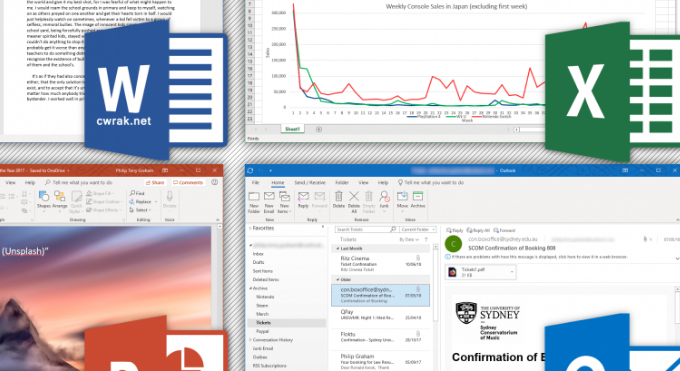
Advanced Certificate of Microsoft Office Skills
Enhance your workplace productivity and master the world’s most widely used business software with the Advanced Certificate of Microsoft Office Skills. This self-paced online professional development course is designed to quickly give you a basic to solid practical understanding of the essential Microsoft 365 suite. Ideal for administration professionals, corporate assistants, managers, or anyone looking to boost their employability, this course delivers the essential computer literacy skills required in almost every modern office environment.
-
Course Fee: $180 AUD (All-inclusive, no hidden fees)
-
Study Mode: 100% Online, Self-Paced
-
Duration: Approximately 25 hours (Typically completed in 5–10 weeks at 5 hours per week)
-
Enrolment Period: 12 months of full access, with free extensions available if required
Course Overview & Objectives
The primary aim of this course is to build confidence and speed across the fundamental applications powering the modern workforce. You will explore the operational benefits of each program, learn how they integrate seamlessly to streamline business tasks, and master the core functionalities that employers look for on a resume—from document formatting to basic spreadsheet data management.
Why Master Microsoft Office?
Microsoft Office proficiency remains the baseline expectation for corporate, administrative, and creative roles globally. Knowing how to efficiently navigate these applications drastically reduces task time, lowers workplace errors, and opens doors to higher-paying administrative and management pathways. This course gives you all the core techniques you need to stand out.
Curriculum & Course Topics
Our structured curriculum breaks down the distinct core applications within the office suite, detailing who uses them and how to maximize their features. Throughout this course, you will explore the following key topics:
-
Introduction to Digital Productivity: What is Microsoft Office, who uses it across different industries, and what are the core aims and goals of mastering the software?
-
Essential Workplace Skills: Developing digital troubleshooting, file management, and workflow integration skills.
-
Microsoft Word (Document Processing): Professional text formatting, report creation, page layouts, and template management.
-
Microsoft Excel (Spreadsheets & Data): Navigating rows and columns, understanding basic formulas, organizing data tables, and an introduction to data analysis tools.
-
Microsoft PowerPoint (Presentations): Building clean, engaging visual slide decks, managing layouts, and structuring professional business presentations.
-
Microsoft Outlook (Email & Calendar Management): Organizing high-volume corporate inboxes, scheduling calendars, managing tasks, and professional email etiquette.
-
Microsoft OneNote (Digital Note-Taking): Creating collaborative digital notebooks, tracking project ideas, and keeping workplace research organized.
Flexible Online Learning Structure
Study at Your Own Pace
With 24/7 access to your online learning dashboard, there are no rigid timetables or forced deadlines. You can study the mechanics of Microsoft Office whenever it fits best into your personal, work, or business schedule.
Assessment Process
Your progress is evaluated through streamlined online assignments designed to test your understanding of software capabilities, application scenarios, and core functions.
Upgrade Your AOC Credentials
Ready to advance to advanced macros, automated databases, or expert-level administrative operations?
-
-
See Also: Diploma of Microsoft Office Skills – Consists of 2 or 3 targeted short courses combined into a comprehensive professional training pathway.
-
Don’t forget to submit a student enrollment form – it can be found on the home page.